Snap your roster. Stay on schedule.拍下排班表, 轻松管理每个班次。
Turn a roster screenshot into clear shifts, working hours, and estimated pay. Less typing. A little more peace of mind.从一张排班截图,到清楚的班次、工时和工资估算。少一点手动录入,多一点心中有数。
Your shifts. Out of the spreadsheet.从排班表里, 找到属于你的时间。
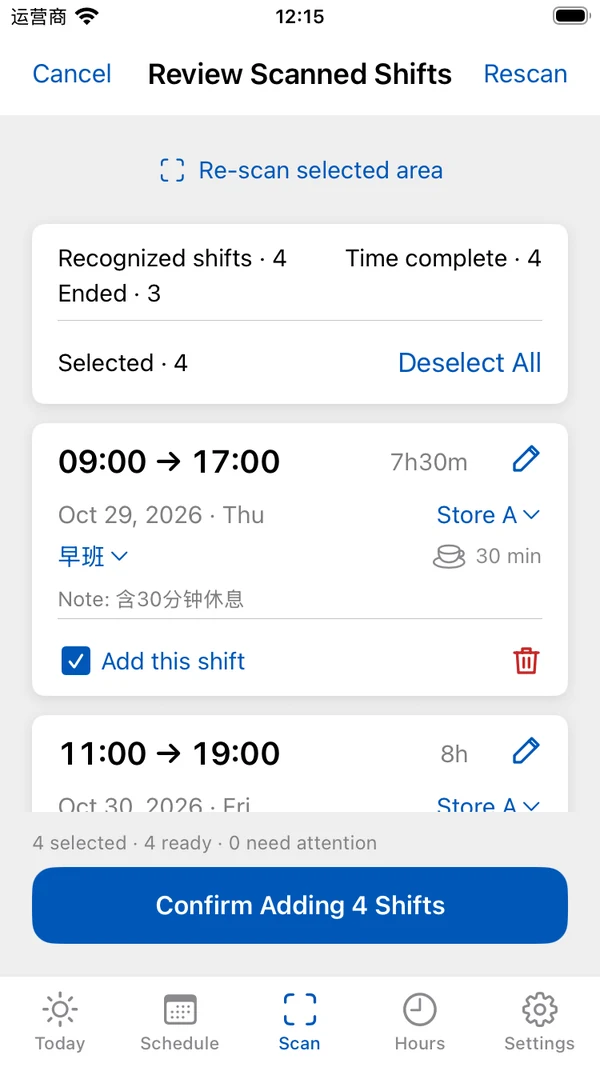
Choose a clear screenshot or photo. Recognition runs on your device. Check your name, dates, and times, then save only your shifts.选择清晰截图或照片,在本机识别排班。核对姓名、日期和上下班时间,只保存属于你的班次。
Plans change. Your schedule can, too.临时调班, 也能从容安排。
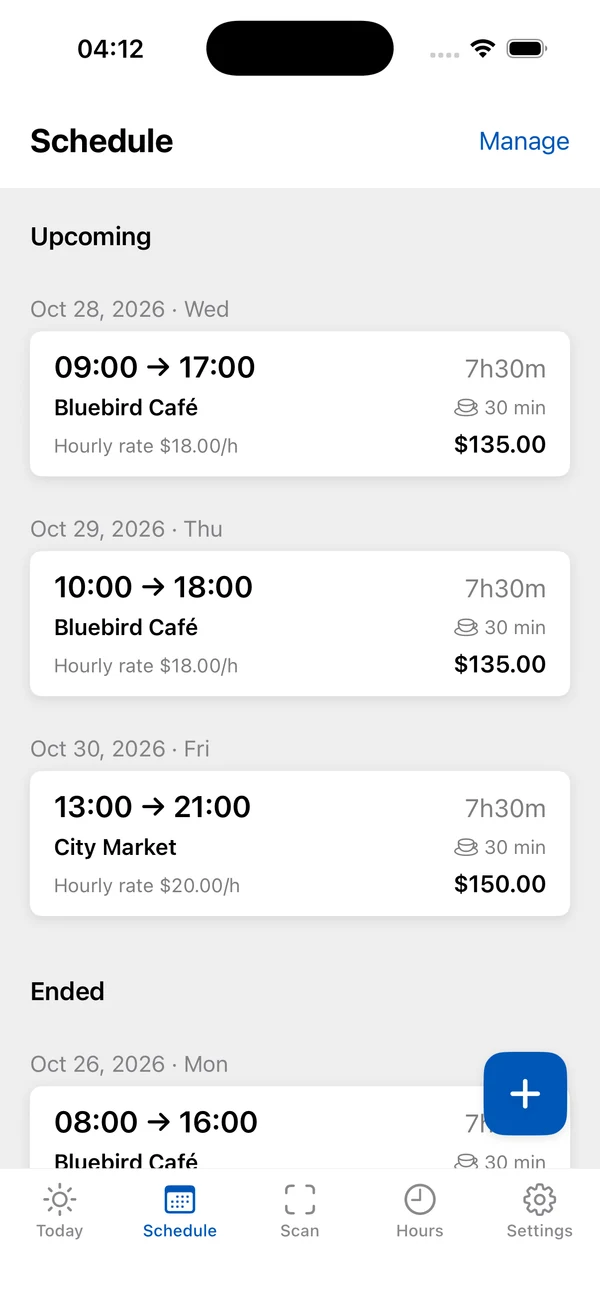
See saved shifts in one place. Add shifts manually and adjust times, jobs, and unpaid breaks when plans change. No more hunting for that roster in a chat.用排班视图查看已保存的班次,随时手动添加、调整时间、工作和无薪休息。无需再翻找聊天记录里的排班图。
Know your hours. Understand your pay.做了多久, 一眼心里有数。
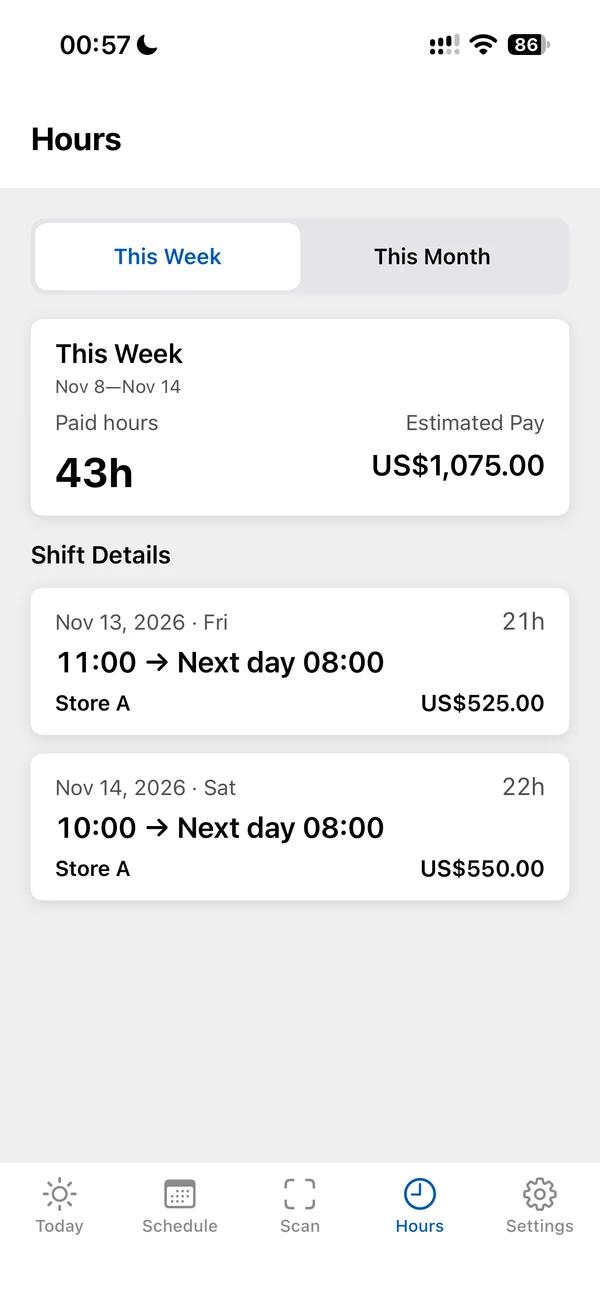
Review paid hours by week or month. Estimate pay from your hourly rate and breaks. Estimates are a guide, not a payslip or a tax calculation.按周或月查看计薪工时,结合时薪和休息设置估算工资。金额仅作参考,不替代雇主工资单或税务计算。
Multiple currencies · Pay is an estimate支持多币种显示 · 工资仅为估算
Optionally sync to your chosen system calendar and set local shift reminders. You control permissions; delivery depends on system settings.按需同步到你选择的系统日历,并设置本地班次提醒。权限由你决定;提醒送达仍受系统设置影响。
Shift reminder A little heads-up for your day.班次提醒 出发前,心中有数。
Original illustration, not a system screenshot原创功能示意,非系统截图
A SIMPLE ROUTINE简单三步
From a photo to a clearer week.从一张图,到安排好的一周。
01
Pick your roster选择排班图
Choose a screenshot or take a clear photo.导入截图,或拍下清晰的排班表。
02
Make it yours确认你的班次
Check names, dates, and times. Correct recognition errors.核对姓名、日期与时间,修正识别偏差。
03
Save. Get on with life.保存,安心安排
Review shifts and hours. Enable calendars and reminders if you like.查看排班与工时,按需开启日历和提醒。
START SIMPLE. UPGRADE WHEN YOU NEED.从免费开始,按需解锁
Your routine. Your choice.你的节奏,你的选择。
Free
A little help to get started先体验,再决定
Free to download, with a taste of automatic scanning.免费下载,体验排班识别与日常管理。
Up to 3 successful automatic scans per eligible device符合资格的设备最多 3 次成功自动扫描
Manual shift entry and editing手动添加与编辑班次
Hours and estimated pay查看工时与工资估算
A scan counts when recognized shifts are successfully saved. Canceling or previewing does not count. Eligibility and remaining scans are verified in the app.成功保存识别班次才计次;取消或仅查看预览不计次。资格及剩余次数以 App 的验证结果为准。
RosterSnap Pro
One purchase. Lifetime unlock.一次购买,永久解锁
Unlock unlimited automatic scanning after store verification.经商店验证后解锁不限次数自动扫描。
Unlimited automatic scanning不限次数自动扫描
No subscription or automatic renewal无订阅,无自动续费
Restore on the original purchase platform在原购买平台恢复权益
See your local in-app store for pricing. iOS and Android purchases are separate, with no cross-platform entitlement or promise of all future paid services.价格以你所在地区的 App 内商店显示为准。iOS 与 Android 分别购买,不承诺跨平台通用;不包含所有未来付费服务。
Roster recognition happens on your device, without a RosterSnap account. Trial verification, purchases, and technical services use network processing. Your chosen system calendar and backup services may sync data.排班图片的识别在设备上完成,无需注册账号。试用验证、购买、技术服务会涉及必要网络处理;你选择的系统日历与备份也可能同步数据。
 RosterSnap